Manager
Managers 是处理全局副作用的单例。有点像中心数据 store 的 watchEffect()。
默认的 manager 负责编排 Data Client
开箱即用提供的复杂异步行为。你可以通过 getDefaultManagers() 轻松配置它们,也可以用自定义的 Managers 进行扩展。
Manager 必须实现 middleware,它把 Manager 接入中心 store 的控制流。此外,cleanup() 和 init() 会接入 store 的生命周期,用于初始化和清理行为。
type Dispatch = (action: ActionTypes) => Promise<void>;

type Middleware = (controller: Controller) => (next: Dispatch) => Dispatch;

interface Manager {
  middleware: Middleware;
  cleanup(): void;
  init?: (state: State<any>) => void;
}
生命周期
middleware
middleware 与 redux middleware 非常相似。唯一的区别在于 next() 函数会返回一个 Promise。
这个 promise 会在 reducer 的更新提交到 DataClientPlugin store 后 resolve。这样就可以构建基于新计算出的状态执行工作的 manager。
由于 redux 是完全同步的,必须在 Reactive Data Client 风格的中间件前面放一个适配器,以确保它们能够消费 promise。反过来,redux 中间件也必须修改为透传 promise。
中间件会拦截被派发的 action,并且还可能派发自己的 action。要进一步了解中间件,请参阅 redux 文档。
init(state)
在 provider 挂载后以初始状态调用。适合在启动时运行依赖于状态确实存在的初始化逻辑。
cleanup()
在 manager 不再使用后,清理所有残留的资源。
向 Reactive Data Client 添加 manager
使用 DataClientPlugin 的 managers 选项。插件在每个应用中只安装一次,因此 manager 也只会创建一次。
import { createApp } from 'vue';
import { DataClientPlugin, getDefaultManagers } from '@data-client/vue';
import App from './App.vue';
import MyManager from './MyManager';

const managers = [...getDefaultManagers(), new MyManager()];

const app = createApp(App);
app.use(DataClientPlugin, { managers });
app.mount('#app');
控制流
Manager 通过其生命周期和中间件与 DataClientPlugin store 集成。它们通过拦截和派发 action 以及读取内部状态来进行交互,从而编排复杂的控制流。
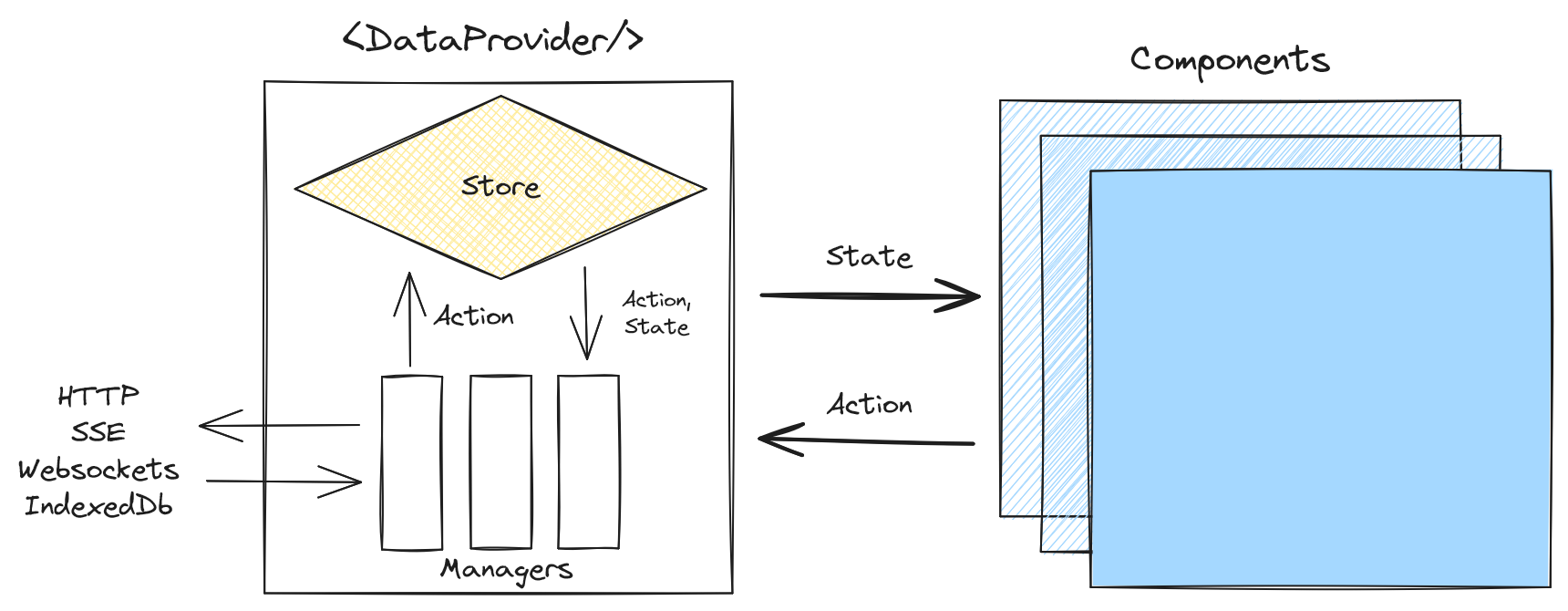
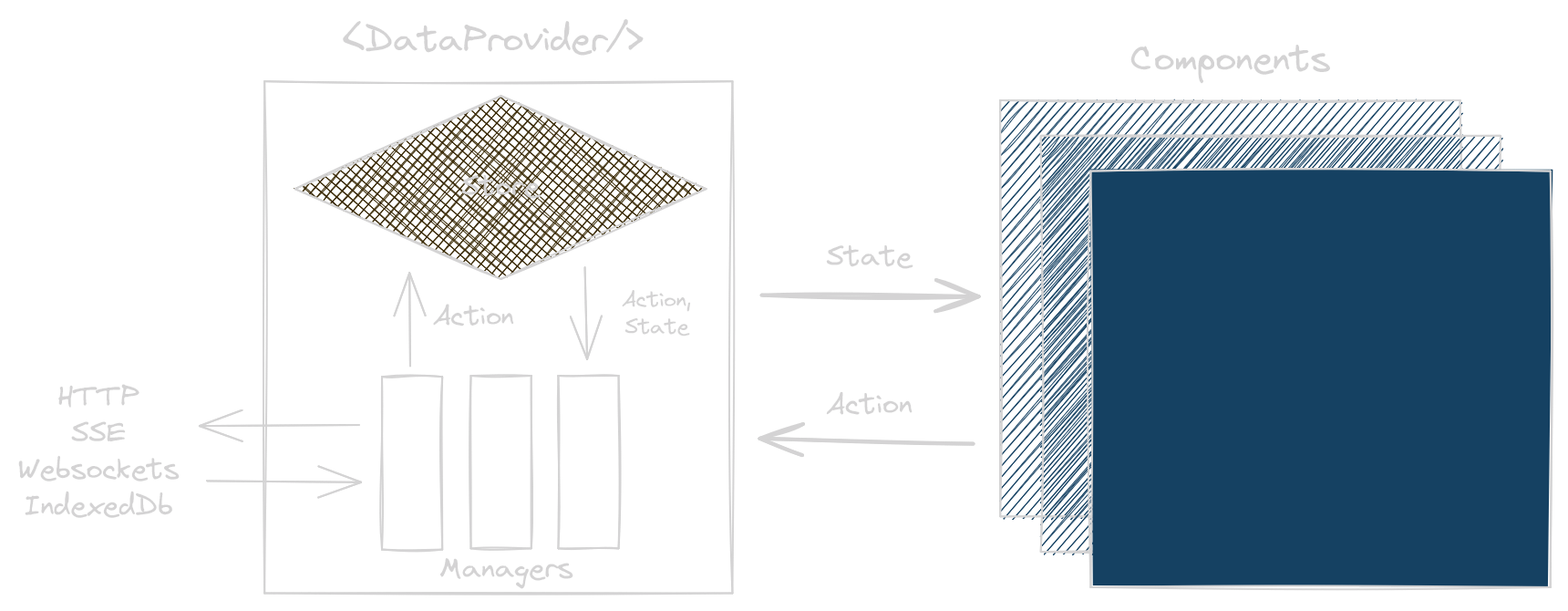
middleware 的职责是派发 action、响应 action,或者两者兼而有之。
派发 Action
Controller 提供了类型安全的 action 派发器。
import type { Manager, Middleware } from '@data-client/vue';
import CurrentTime from './CurrentTime';

export default class TimeManager implements Manager {
  declare protected intervalID?: ReturnType<typeof setInterval>;

  middleware: Middleware = controller => {
    this.intervalID = setInterval(() => {
      controller.set(CurrentTime, { id: 1 }, { id: 1, time: Date.now() });
    }, 1000);

    return next => async action => next(action);
  };

  cleanup() {
    clearInterval(this.intervalID);
  }
}
读取和消费 Action
actionTypes 包含用于区分不同 action 的所有常量。
import type { Manager, Middleware } from '@data-client/vue';
import { actionTypes } from '@data-client/vue';

export default class LoggingManager implements Manager {
  middleware: Middleware = controller => next => async action => {
    switch (action.type) {
      case actionTypes.SET_RESPONSE:
        if (action.endpoint.sideEffect) {
          console.info(
            `${action.endpoint.name} ${JSON.stringify(action.response)}`,
          );
          // wait for state update to be committed
          await next(action);
          // get the data from the store, which may be merged with existing state
          const { data } = controller.getResponse(
            action.endpoint,
            ...action.args,
            controller.getState(),
          );
          console.info(`${action.endpoint.name} ${JSON.stringify(data)}`);
          return;
        }
      // actions must be explicitly passed to next middleware
      default:
        return next(action);
    }
  };

  cleanup() {}
}
在条件块中,action 的类型会被收窄,从而鼓励安全地访问其成员。
如果我们想“处理”某个 action,可以通过不调用 next 来“消费”它。
import type {
  Manager,
  Middleware,
  EntityInterface,
} from '@data-client/vue';
import { actionTypes } from '@data-client/vue';
import isEntity from './isEntity';

export default class CustomSubsManager implements Manager {
  declare protected entities: Record<string, EntityInterface>;

  middleware: Middleware = controller => next => async action => {
    switch (action.type) {
      case actionTypes.SUBSCRIBE:
      case actionTypes.UNSUBSCRIBE:
        const { schema } = action.endpoint;
        // only process registered entities
        if (schema && isEntity(schema) && schema.key in this.entities) {
          if (action.type === actionTypes.SUBSCRIBE) {
            this.subscribe(schema.key, action.args[0]?.product_id);
          } else {
            this.unsubscribe(schema.key, action.args[0]?.product_id);
          }

          // consume subscription if we use it
          return Promise.resolve();
        }
      default:
        return next(action);
    }
  };

  cleanup() {}

  subscribe(channel: string, product_id: string) {}
  unsubscribe(channel: string, product_id: string) {}
}
通过 return Promise.resolve(); 而不是调用 next(action),我们可以阻止排在这个 manager 之后的 manager 看到该 action。
类型:FETCH、SET、SET_RESPONSE、
RESET、SUBSCRIBE、UNSUBSCRIBE、
INVALIDATE、INVALIDATEALL、EXPIREALL
使用场景
常见 Manager 使用场景的最小示例: